Add Event 
Add Event Quick Steps
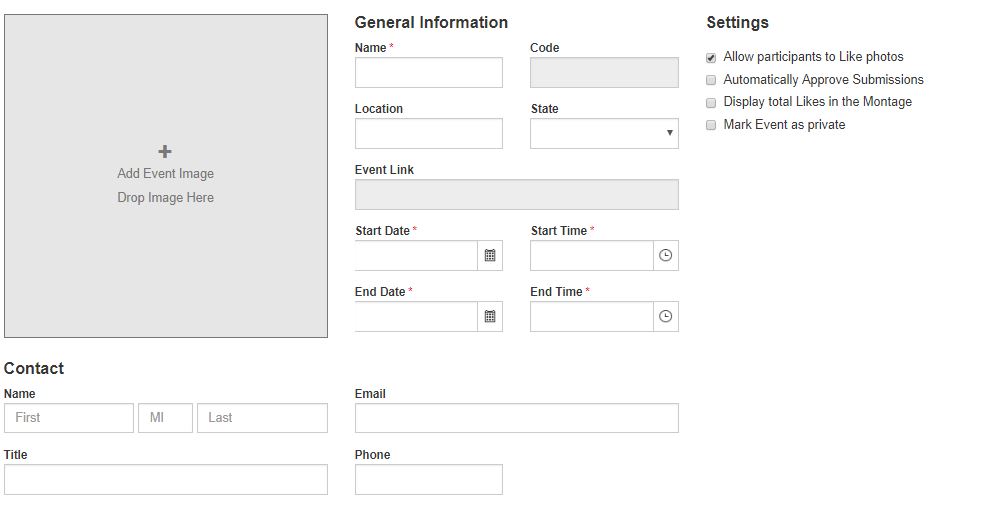
- Enter the event name, location and dates and times, and upload the event image.
- Select the event settings.
- Enter the point of contact details.
- Upload organizer-supplied images and configure the montage.
- Specify the attendee upload image information, upload window, and on-screen message.
- Specify the Gallery viewing window and on-screen message.
- Specify the uploaded, approved, and rejected email messages.